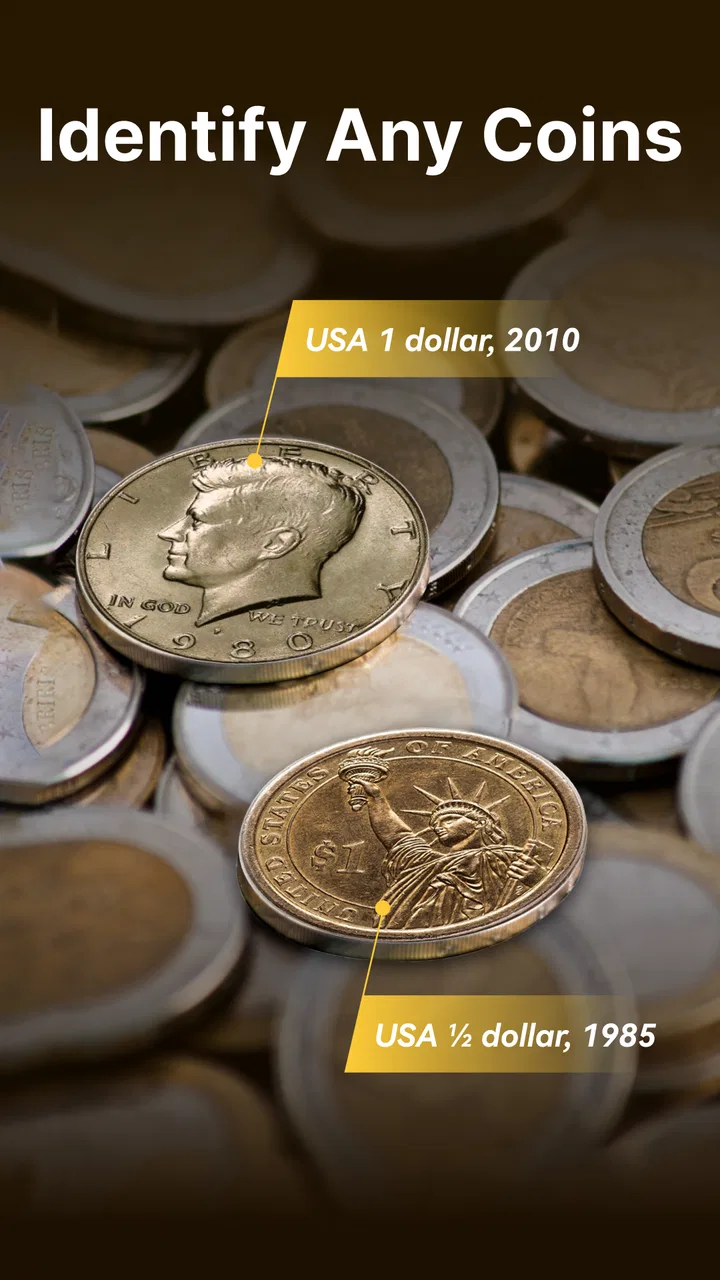
Coin Identifier - Coin Finder
- 4.4
- Rating
- 100.00K
- Installs
- Free
- Price

 Analysis by App-foxy
I approached Coin Identifier - Coin Finder as a practical tool rather than a novelty. Its purpose is straightforward: help me identify coins, estimate their value, and keep a collection organized from a phone. That combination is useful because coin collecting often involves three separate tasks—recognizing an unfamiliar piece, finding out whether it may matter, and recording what is already owned. Having those steps together can make a casual collection much easier to understand.
The app is developed by Smart AI DEV and sits in the Tools category. It is free to install, with optional in-app purchases ranging from $4.99 to $49.99 per item. It is rated for Everyone, works on devices running Android 8.0 or later, and its current version is 1.3.9. I also noticed that it has built a reasonably visible user base, with over 100 thousand installs and an average rating of 4.4 from around 2.4 thousand ratings.
Those figures make it look appealing for beginners, but they do not answer the most important question by themselves: can I trust the result enough to make a sensible decision about a coin? My answer is qualified. Coin Identifier - Coin Finder is useful for first-pass research and collection management, but I would treat its identification and valuation as guidance rather than final authority. That distinction matters whenever a coin might be rare, damaged, counterfeit, or worth serious money.
You May Also Like

 Google Keep - Notes and lists
Google Keep’s Quiet Growth Shows the Appeal of Simpler Notes
As mobile work gets busier, Google Keep keeps winning a simple contest: capture a thought quickly, find it later, and get on with the day.

 Blood Strike: 2.5 Anniversary
Blood Strike’s Loadouts Turn Every Drop Into a Tactical Gamble
A close look at Blood Strike’s custom loadouts: how fast access to signature weapons reshapes its battle royale rhythm, rewards preparation, and narrows the gap between fights.

 Pandora - Music & Podcasts
Pandora’s Music Is Easy to Start, but Harder to Recover
Pandora’s strength is its low-effort path from a seed to a station. Its weak spot is how much confidence it asks you to place in connection, setup, and quiet recovery.

 8 Ball Pool
 Is Built on Rivalries, Rematches, and Routine
A close look at the rivalries, rematches, shared routines, and unanswered safety questions that turn a quick pool match into a persistent mobile community.

 Samsung Music
’s Quiet Strength Is Playing What You Already Own
Its reach comes less from spectacle than from dependable access to a personal library. That simplicity is both the app’s strongest retention engine and its ceiling.

 AccuWeather: Weather Radar
AccuWeather Review: A Quick, Clear Forecast for Everyday Decisions
For everyday plans, the best forecast is the one you can understand quickly. AccuWeather makes rain timing, radar, and local conditions easy to act on, with a few trade-offs.
More From Our News Desk



How the app fits into a careful coin-checking routine
I find it helpful to treat each scan as the beginning of a check, not the end: first capture the coin clearly, then compare the suggested identity with its date, mint mark, and visible details before saving it. That routine makes the collection record more useful later, especially when several similar pieces are being sorted at once. It also sets up the next question: how quickly can the app support that careful process when the pile gets larger?
Start with identification, not a purchase decision
The most natural workflow is to photograph or scan a coin, review the identification, and then use that information to decide what to investigate next. This is much faster than searching broad web results with vague phrases such as “old silver coin” or “foreign coin with a bird.” For a mixed box of inherited coins, a travel souvenir, or a piece found in an old drawer, that first visual clue can save a great deal of time.
I would use the app as a sorting assistant. Coins that appear common can be grouped separately from those that deserve closer attention. That is a better use of an automated identifier than asking it to settle an auction price immediately. The scan helps narrow the possibilities; the collector still needs to inspect the date, mint mark, denomination, metal, condition, and any unusual variation.
A useful habit is to photograph both sides in good light and keep the coin flat. Reflections, soft focus, fingers covering lettering, and a busy background can all make visual recognition less dependable. If the first result seems too confident for a blurry image, I would scan again instead of accepting it. The extra moment is worthwhile, especially when several coins share similar portraits or symbols.
Valuation is best treated as a range of questions
The value feature is attractive because it addresses the question most people ask after identification: “What is this worth?” In practice, a coin’s value depends on much more than its design. Condition, authenticity, scarcity, demand, metal content, date, mint mark, and regional market all matter. A phone-based estimate can help me decide whether further research is sensible, but it should not replace a specialist assessment.
That is particularly important for inherited collections. A family member may remember that a coin is “old,” while age alone does not make it valuable. Conversely, a modern coin with a particular error or scarce issue can deserve attention. I would use the app to create a shortlist, then compare the details with reputable catalogues, completed sales, or a professional dealer before selling anything.
The most useful trade-off is speed versus certainty. Coin Identifier - Coin Finder is designed to give me a quick starting point. A specialist, printed reference, or established numismatic database may take longer, but those alternatives are better when small distinctions determine the result. The app is strongest at reducing an unknown coin to a manageable research task, not at removing the need for judgment.
Collection management changes the experience
Many identification apps are helpful for one scan and then forgotten. The collection-management side gives this one a more practical role. Instead of repeatedly asking what a coin is, I can build a personal record of what I have already checked. That is valuable for people who buy mixed lots, inherit several boxes, or collect by country and denomination.
I recommend recording coins immediately after checking them, while the physical piece is still beside the phone. This avoids the common problem of remembering an identification but forgetting which similar-looking coin it belonged to. A simple routine works well: photograph the front, photograph the back, review the result, and place the coin in a labeled holder or tray. The digital record then becomes a reference point rather than a vague memory.
There is also a useful separation between identification and ownership. A scan may suggest what a coin is, but a collection record should reflect what I physically possess. If I later trade or give away a duplicate, the collection should be updated. Treating the app as an inventory rather than an automatic financial ledger helps keep expectations realistic.
What I would do with an inherited collection
Imagine opening a relative’s cabinet and finding several envelopes of coins with no labels. I would not begin by searching for the most expensive-looking piece. I would work in batches, clean the camera lens, photograph each coin without polishing it, and use the app to create preliminary identifications. Cleaning is a serious mistake because it can damage a coin’s surface and reduce its appeal to collectors, so I would leave that entirely out of the process.
After the first pass, I would separate the results into three groups: ordinary pieces for general cataloging, uncertain identifications needing another scan, and coins whose date, mint mark, material, or condition might justify expert review. This workflow is one of the app’s most realistic strengths. It gives a beginner structure without pretending that an automated result is the same as authentication.
I would also keep the original envelopes and handwritten notes. Context can matter, and an app record should supplement those materials rather than replace them. If a coin later turns out to be unusual, knowing where it came from may help organize the collection’s history, even if it does not prove value.
Trust depends on what I can see and control
For a tool that works with photographs and personal collection records, I pay attention to visible choices during use. I want to know what the app asks me to do before I scan, what happens when I save an item, and whether optional purchases are clearly separated from the basic workflow. I also prefer to make deliberate decisions about which images and collection details I keep in the app.
My cautious approach is simple: grant only the access needed for the action I am taking, review prompts instead of approving them automatically, and avoid entering personal information that has no clear connection to coin identification. I would also check the device’s permission settings after installation and revisit them if I stop using scanning features. These are ordinary safeguards, but they are especially sensible when an app involves camera images and a personal inventory.
I would not assume that a scan is private merely because it shows a coin rather than a person. A photograph can include a desk, documents, labels, or other objects in the background. Before scanning, I would place the coin on a plain surface and keep unrelated material outside the frame. That small habit improves both recognition quality and privacy.
Where user agency matters most
The app is more comfortable to use when I remain in charge of the final decision. I would review every identification before adding it to a collection, correct an entry when the visible details do not match, and avoid treating an estimated value as a guaranteed selling price. If the app presents an upgrade or purchase during the process, I would consider whether it solves a real problem for my collection rather than paying simply because I am curious.
The free starting point is helpful for testing whether the workflow suits me. Someone with a handful of travel coins may never need more than occasional identification, while an active collector may value a more regular inventory process. Because individual purchases can cost from $4.99 to $49.99, I would be particularly careful to understand what each purchase provides and whether it is necessary before confirming it.
This is also where the app may not be the right choice. A dealer who needs defensible authentication, a researcher who requires detailed historical references, or a collector tracking high-value pieces may prefer specialist tools and human expertise. Coin Identifier - Coin Finder can support that work by organizing preliminary information, but it should not be the only record or opinion involved.
How it compares with familiar alternatives
The usual alternative is a web search. Searching manually can produce deeper information, especially when I already know the country, date, and mint mark. It can also expose me to specialist discussions and completed sales. The downside is that a beginner may not know which details to search for, and similar images can lead to the wrong conclusion. Coin Identifier - Coin Finder is more convenient at the beginning because it turns the physical coin into a research prompt.
Printed catalogues are another alternative. They remain valuable because they encourage careful comparison and often explain variations that a quick scan may overlook. Their weakness is speed and portability. If I am sorting coins at a table, an app is easier to use than several heavy reference books. I would combine them rather than choosing one permanently: the app for triage, a catalogue for verification.
Human expertise remains the strongest alternative when money or authenticity is involved. A reputable coin dealer or numismatist can notice edge details, surface alterations, cleaning, and counterfeit indicators that a photograph may not settle. The app is therefore best understood as a bridge between complete uncertainty and informed follow-up. It is not a replacement for someone who has examined thousands of coins in person.
Small habits that improve the results
First, I would capture the date and mint mark separately in my notes even when the app identifies them. These details are often the difference between a broad type and a specific issue. Second, I would scan duplicates only after checking whether their dates, marks, and condition differ. Two coins with the same design can still deserve separate records.
Third, I would avoid using the app while rushing through a purchase. If a seller is asking a price based on a supposed rarity, I would not let a quick result create false confidence. Instead, I would record the coin’s visible details, take clear images, and verify them later. This protects me from both an overly optimistic valuation and an unnecessarily low offer.
Finally, I would use the collection feature to identify gaps in my own knowledge. If the same type of result keeps appearing, I can learn its key distinguishing marks and become less dependent on the scan. That is a healthy outcome: the app should make me a more organized collector, not a passive reader of automated answers.
Who will enjoy it, and who should skip it?
Beginners are the clearest audience. If I am curious about coins but do not know the vocabulary for searching, the app offers an approachable first step. It also suits families sorting inherited coins, travelers cataloging foreign currency, and casual collectors who want a convenient inventory on a compatible Android device.
It is less suitable for anyone expecting guaranteed prices, formal authentication, or a complete substitute for specialist references. I would also skip relying on it alone if my collection contains pieces with substantial financial or sentimental importance. In those situations, the cost of a mistaken identification can be much greater than the convenience of a quick scan.
The Everyone rating makes it accessible for general use, but accessibility does not remove the need for supervision around purchases or valuable property. If several people share a family collection, I would agree on who is responsible for editing records and approving optional spending. Clear ownership of the digital inventory prevents confusion later.
My cautious verdict
Coin Identifier - Coin Finder is a useful Tools app for turning an unfamiliar coin into an organized starting point. I like the combination of visual identification, value guidance, and collection management because it follows the way people actually handle coins: discover, investigate, and record. Its strongest benefit is not that it magically knows every answer; it is that it gives a beginner a repeatable workflow.
I would recommend it to a friend who wants to sort a personal collection, identify travel coins, or decide which pieces deserve deeper research. I would explain one condition clearly: use the app to guide your next step, not to make an irreversible selling or buying decision by itself. Clear photos, careful notes, and independent verification remain essential.
For a free app from Smart AI DEV, with optional purchases available, it is an approachable way to begin. Its rating of 4.4 and growing install base suggest that many users find the concept worthwhile, but my recommendation rests more on the practical workflow than on popularity. If you keep control of what you scan, what you save, and what you pay for, it can become a helpful companion for everyday collecting. If you need expert-grade authentication or detailed numismatic research, a specialist source will still be the better final authority.
FAQs for Coin Identifier - Coin Finder
01What is Coin Identifier - Coin Finder used for?
Coin Identifier - Coin Finder is designed to help users recognize coins by taking or uploading a photograph. After analyzing the image, the app may provide information such as the coin’s country of origin, denomination, approximate date, design details, and potential value. It is useful for beginners, travelers, students, and casual collectors who want a quick first identification before consulting a professional catalog or numismatist.
02How accurate is Coin Identifier - Coin Finder when recognizing coins?
The app can be helpful for identifying clear, common coins, but its results should be treated as an estimate rather than a guaranteed professional appraisal. Accuracy depends on lighting, focus, camera angle, image quality, and how visible the coin’s inscriptions and details are. Rare, damaged, counterfeit, commemorative, or very similar-looking coins may be misidentified, so important findings should be verified independently.
03Can Coin Identifier - Coin Finder determine the exact value of a coin?
Coin Identifier - Coin Finder may display an approximate market value or general pricing information for some identified coins, but this should not be considered a formal valuation. A coin’s real price depends on authenticity, condition, rarity, mint mark, demand, and current auction activity. Before buying or selling a valuable item, compare reputable listings and ask a qualified coin dealer or appraiser for advice.
04How should I photograph a coin for the best identification results?
For better results, place the coin on a plain, non-reflective surface and use bright, even lighting. Keep the camera directly above the coin, avoid shadows and glare, and make sure the entire object is sharp and centered. Photographing both the front and back can provide more useful information. Clean the camera lens, but avoid polishing or cleaning the coin because that can reduce its collector value.
05Does Coin Identifier - Coin Finder require an internet connection or charge for features?
Some versions of Coin Identifier - Coin Finder may require an internet connection to process images, retrieve database information, or display estimated values. The app can also include optional premium tools, subscriptions, advertisements, or in-app purchases, depending on the platform and current release. Check the Google Play Store or App Store listing carefully for pricing, trial terms, privacy details, and cancellation instructions before downloading.
Pros
- Quickly identifies many common coins using your phone’s camera.
- Useful reference for checking basic coin details while traveling or collecting.
- Simple interface makes it easy for beginners to explore coin information.
- Can help organize initial research before consulting a professional collector.
- Convenient alternative to carrying printed coin identification guides.
Cons
- Recognition may fail with worn
- dirty
- damaged
- or poorly lit coins.
- Estimated values can be inaccurate and should not replace expert appraisals.
- Rare or unusual coins may be missing from the available database.
- Camera-based results depend heavily on image quality and coin positioning.
- Some features or detailed information may require in-app purchases.

Coin Identifier - Coin Finder
Gallery